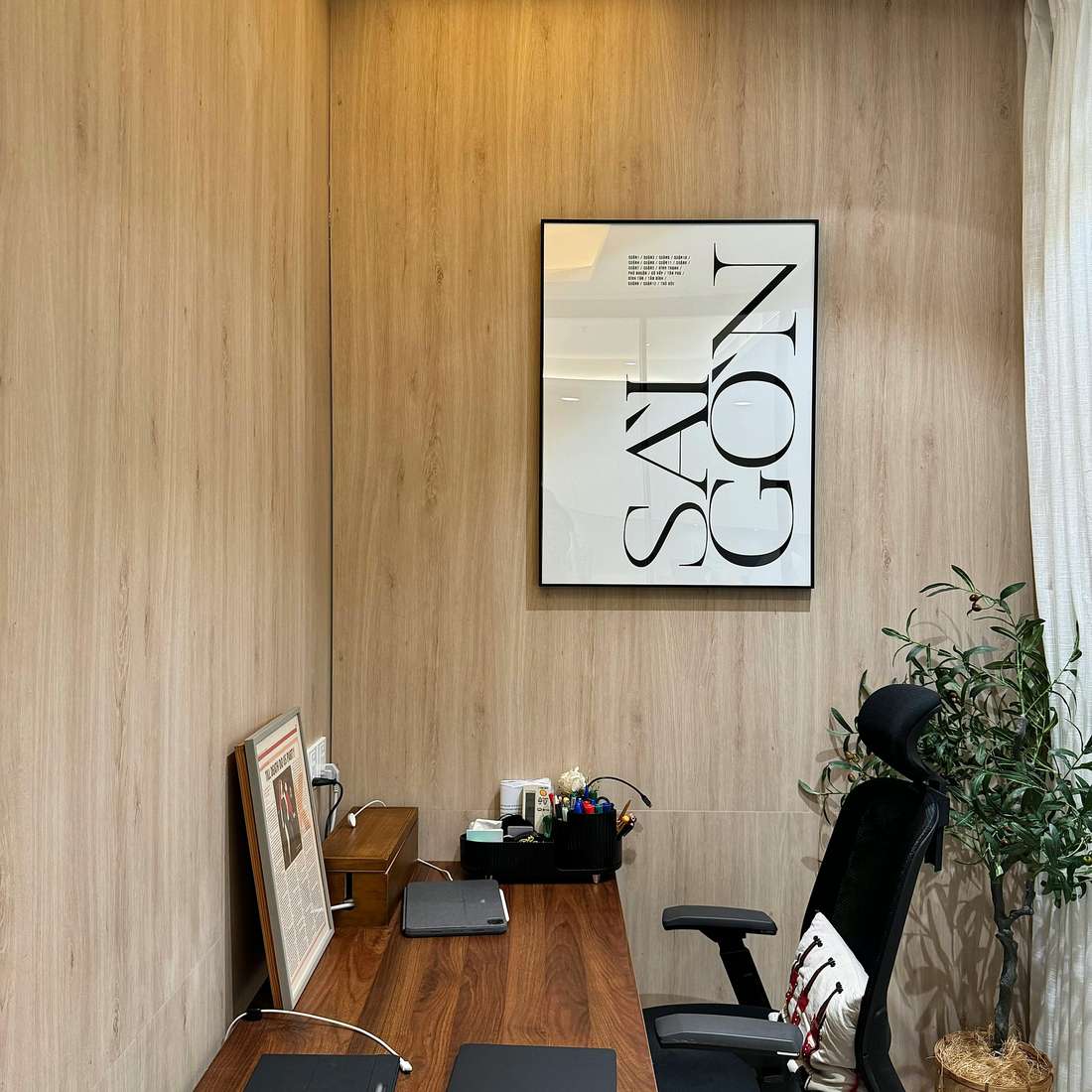
A hotel can pass Wi‑Fi as “complimentary” and still fail a thirty-minute Teams call with upload stalls and VPN drops. Workspaces look fine in photos—a dresser with a lamp—until you sit down and realize the chair wobbles, the outlet is behind the bed, and the only flat space is where you sleep. Hotels with the best workspaces and Wi‑Fi treat connectivity and desks as core product, not brochure filler.
This guide explains how to evaluate properties before booking, which brands and tiers consistently deliver for road warriors, and what to request when your week depends on video and deep focus.
How to test Wi‑Fi before you trust a stay
Download speed alone is marketing. Business travelers need stable upload, low jitter, and VPN tolerance across peak hotel hours.
- Read recent reviews mentioning Zoom, Teams, Webex, or VPN—not only “fast Wi‑Fi.”
- Ask the front desk for typical upload speeds or a premium tier if your company pays.
- Bring a hotspot as backup; note which properties block tethering in terms of service.
- Check device limits—some networks throttle after two connections.
If the hotel publishes a business center, confirm it is open when you land—not closed at 6 p.m. on Sundays.
What a real hotel workspace includes
- Desk depth for laptop plus notebook, not just a laptop.
- Chair with adjustable height or a known ergonomic loaner program.
- Outlets at desk height and USB ports that actually deliver power.
- Task lighting that does not glare on the screen.
- HDMI or wireless casting to the TV for second monitors.
- Sound control—quiet HVAC, solid doors, away-from-elevator rooms.
Corner rooms often add surface area and reduce hallway noise—worth loyalty requests on call-heavy weeks.

Brands and tiers that earn repeat work days
Upscale and upper-upscale
Hyatt Regency and Andaz properties in CBDs often deliver solid desks and recent network upgrades. Hilton Canopy and Marriott Renaissance suit creative industries with lobby coworking plus room desks. Four Seasons and Park Hyatt win on quiet and service recovery when Wi‑Fi hiccups—engineering response matters.
Midscale built for hybrid work
Hyatt Place, Hampton by Hilton (select renovations), and CitizenM optimize small footprints with intentional work surfaces. AC Hotels target design-conscious travelers who still need morning calls without lobby chaos.
Extended stay when the trip is a work week
Residence Inn, Homewood Suites, and Staybridge Suites add tables, kitchens, and slower housekeeping rhythm that suits multi-day projects—verify Wi‑Fi per property, not only brand averages.
Lobby and lounge workspaces
Day-use work often happens outside the room. Strong hotels offer daylight tables, privacy booths, printer access, and coffee before 6 a.m. Weak hotels offer a single outlet and lounge music loud enough to kill calls. Elite lounge access can be worth it when breakfast, quiet, and bandwidth stack—compare fee waivers on your corporate policy.
Red flags in “work-friendly” marketing
- Paid Wi‑Fi tiers required for video on basic rates.
- Captive portals that expire hourly during long focus blocks.
- Glass-wall rooms facing atriums with echo.
- Resort properties with beautiful pools and unusable desks.
Booking and check-in tactics
Email: desk dimensions, chair type, quiet room request, and whether ethernet is available. At check-in, test Wi‑Fi before unpacking. If upload fails, ask for a room move immediately—sold-out nights still free a bad room when you document the issue politely.
The bottom line
Hotels with the best workspaces and Wi‑Fi win on evidence: review language about calls, desk photos from guests, and how fast engineering responds. Pick CBD properties that invested in hybrid travelers, pack a hotspot, and treat bandwidth like oxygen. Your calendar already assumes you will work—your hotel should not pretend otherwise.